The house and the paving
Facade, windows, doors, roof, and every fence, wall, path and paved surface. Only the planting, beds, lawn and garden furniture are up for redrawing.
 Gardenly
52 styles over the yard you already have.
Gardenly is an AI garden design app for iOS and Android. Photograph the yard you have, pick a style, and get that same yard back with a new garden in it. Every render is drawn to the same rule: change the garden, leave the house alone.


Almost nobody can picture their own. Every reference you find is someone else’s plot in someone else’s light, so the one garden you never get to see in advance is the one you are paying for.
Without Gardenly
Save other people’s gardens. Sketch something. Book a consultation. Still guess.
Take the photo
Stand where you always stand and photograph the yard exactly as it is today.
Get the render
A minute or so later, the same yard comes back with a different garden in it.
That is most of the instruction behind every render, and most of that is a list of things it is told not to touch:
Facade, windows, doors, roof, and every fence, wall, path and paved surface. Only the planting, beds, lawn and garden furniture are up for redrawing.
The position you shot from, the perspective and the time of day, so the render lines up with what you were actually looking at.
Property boundaries and the distances between things, so what comes back is a garden that would fit the space you have.
It is an instruction, not a guarantee. A few of the loudest styles ignore it on purpose: Sketch hands the whole scene back as a line drawing, while Cyberpunk, Post-apocalyptic, Ski Chalet and Medieval rework the building along with the garden.
Every tile below is the app’s own preview for one style: nearly always the same backyard and the same house, and 52 gardens with nothing in common. 6 collections, one upload each.

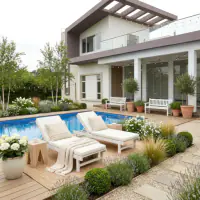





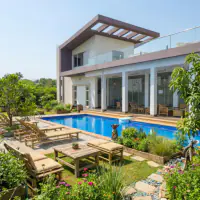







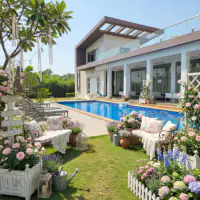




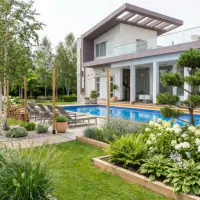



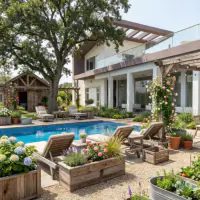
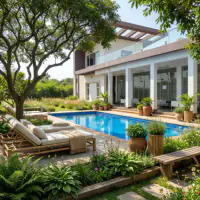












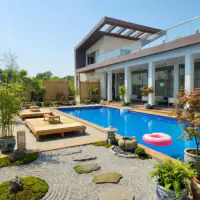

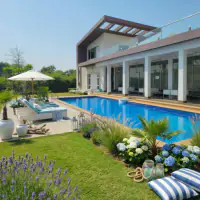
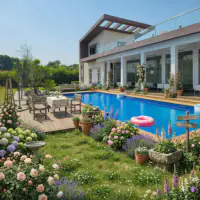




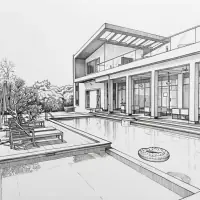





Pick one in the Gallery tab, upload a photo, and the app puts that style over your own yard.
Two tabs and no project files. A gallery of styles to start from, and a history of everything you have made.
The Gallery tab opens on the styles, grouped the way you would browse them. Tap one, add a photo from the camera, your library or Files, and tap Generate.


The photorealistic render arrives with the original tucked into the corner, so you can check it against what you actually have before you save it to Photos or send it on.
Tablet
On a tablet each collection row fits about three styles at a time instead of two, so there is less scrolling before you commit a photo to one of them.

There is no canvas, no layer list and nothing to configure. The app is a style, a photo, and a button.
Shoot the yard there and then, pick a photo you already have, or bring one in from Files. One photo per design, every time.
52 styles in 6 collections, each with a preview of what it does. Tap one, upload, tap Generate. It can take up to a minute.
Every render is saved to the History tab on your device, so the one from three styles ago is still there when you decide it was the good one.
Save the full-size render straight into Photos, or share it out to a message, a note, or the person who is going to build it.
Every style asks for lawn and planting, so a backyard, a front garden or a planted patio all work. A bare balcony gives the render much less to go on.
Gardenly is free to download and your first design is on us. After that it is a Gardenly Pro subscription, and the current price for your country is shown on the store listing and inside the app.
Your photo is uploaded to be redesigned by an image model and the render comes back to your device. There is no sign-up, no email and no password, and every design stays in the History tab on the device. On iOS, Apple’s App Store privacy label for Gardenly lists only usage data and diagnostics, both under “Data Not Linked to You”.
Made and supported by a small independent studio in the Netherlands. A real person answers the support link inside the app.
Gardenly is an AI garden design app, or an AI landscape design app if you call it that, for phones and tablets on iOS and Android. You photograph an outdoor space you already have, a backyard, a front garden or a patio, choose one of 52 design styles, and the app sends back a render of that same space redesigned in that style. Every style but one is photorealistic; Sketch returns the scene as a hand-drawn line drawing. It is a way to see a landscaping idea on your own plot before anyone digs anything up.
You give the app one photo and one style. The photo is uploaded to an image model together with a fixed instruction describing what may change and what may not: the planting, beds, lawn and garden furniture can be redrawn, while the buildings, fences, walls, paths and other hardscape, the camera angle and the lighting are to stay as they were. What comes back is your photo with a new garden in it. The app asks you to keep it open while it works, and says the result can take up to a minute.
The garden is what it is asked to change. The instruction behind every render explicitly holds the house facade, windows, doors, roof and any architectural feature identical, along with fences, walls, paths and other hardscape, the camera angle, the perspective, the time of day and the property boundaries. That is an instruction to an image model rather than a hard constraint, so expect the odd liberty. A handful of styles are supposed to break it outright: Sketch returns the scene as a hand-drawn line drawing, and Cyberpunk, Post-apocalyptic, Ski Chalet and Medieval rework the building itself. For the other forty-odd, what you get back is your house with a different garden around it.
52, in 6 collections: Modern, Cultural, Nature, Artistic, Vintage, Seasonal. They run from Modern, Minimalist and Scandinavian through Mediterranean, Japanese Design and Zen to Cottagecore, Farmhouse, Biophilic and a handful of seasonal ones like Christmas and Halloween. Every style has a preview in the Gallery tab so you can see what it does before you spend a photo on it.
Good enough to decide with, not good enough to build from. The 52 styles are a fixed, curated set rather than the app improvising, and each one has a preview in the Gallery tab so you can see what it does to a garden before you spend a photo on it. What you get back is a plausible version of your own space: a lawn, beds, a path and furniture that look like they belong to the plot in your photo. What you do not get is a planting list, a drawing anyone can work from, or any knowledge of your soil, your climate or what survives a winter where you live. Treat it as the picture you take to a landscaper, not as a replacement for one.
The app asks you to keep it open while the render is generated, and the wait screen says the result can take up to a minute to appear. Every design costs one credit, and if the generation fails the credit is refunded automatically. You can cancel a render while it is running, though the credit for that one is already spent.
Phones and tablets, on both iOS and Android. On Apple devices it needs iOS 18 or iPadOS 18 and later, which in practice means an iPhone XR, iPhone XS or newer and any iPad Apple still supports; the Android requirement is the one shown on Gardenly’s page in the Google Play Store. The phone layout is portrait and scrolls the style collections as rows; on a tablet the same rows just fit about three styles at a time instead of two. There is no Mac, Apple Watch or Vision Pro version.
The app is free to download and your first design is free. After that, generating designs needs a Gardenly Pro subscription, offered weekly or annually. The exact price for your country is shown on the store listing and again inside the app before you subscribe, and subscriptions are managed in the store account you bought them with.
Front gardens and patios, yes. Nothing in the app is specific to large backyards, and lawn, beds, planting and garden furniture get redrawn whether the photo is of a whole plot or a paved corner. A bare balcony is the weak case: all 52 styles are written for gardens and every one of them asks for lawn and planting, so the less growing space the photo contains, the less there is for the render to do with it.
That is what the Save and Share buttons are for. Every render can be saved into your Photos library at full size or shared straight out to a message, an email or any app that accepts an image, so the person quoting the work is looking at your garden rather than a mood board.
No. There is no Gardenly account, no email address and no password. The app signs itself in anonymously the first time you open it, and your renders are stored in the History tab on the device.
Free to download on the App Store and Google Play, and your first design is on us.